
qck Valorant Settings
qck plays on 1600 DPI with 0.05 sensitivity, an eDPI of 80. A full turn takes 163.3 cm of mouse movement, a lot slower than the typical pro (60.5 cm).
- 1600 DPI
- 0.05 sens
- 80 eDPI
- 1 scoped sens
- 1280x882
qck's crosshair code
0;P;c;5;o;1;d;1;z;1;f;0;0b;0;1b;0- Team
- 2GAME ESPORTS
- Country
- Brazil
- Name
- Gabriel Lima
Settings captured 23 Nov 2026.
How qck compares
Against 377 Valorant pros. The dot is qck, the line is the typical pro.
Slower turn than 99% of pros. Typical pro: 60.5 cm.
Lower than 99% of pros. Typical pro: 216.
Lower than 99% of pros. Typical pro: 0.24.
Mouse settings
- DPI
- 1600
- Sensitivity
- 0.05
- eDPI
- 80
- Scoped sensitivity
- 1
- cm / 360°
- 163.3 cm
- Same in CS2
- 0.159 at 1600
- ADS sensitivity
- 1
- Windows sensitivity
- 6
eDPI, cm/360 and the CS2 value are our maths from DPI and sens. qck's eDPI is higher than 1 of the 377 pros we track (pro median 216).
Crosshair
0;P;c;5;o;1;d;1;z;1;f;0;0b;0;1b;0- Colour:Cyan
- Outlines: on, 1px
- Centre dot: on, 1px
- Inner lines: off
- Outer lines: off
- Style: dot only
Preview shows the primary crosshair at 1080p and is approximate. Import the code in Settings, Crosshair.
2GAME ESPORTS matches
Reading the schedule…
Video settings
- Resolution
- 1280x882
- Aspect ratio
- 4:3
- Aspect method
- Fill
- Display mode
- Fullscreen
- Material quality
- Low
- Texture quality
- Low
- Detail quality
- Low
- UI quality
- Low
- Vignette
- Off
- VSync
- Off
- Anti-aliasing
- MSAA 4x
- Anisotropic filtering
- 8x
- Improve clarity
- On
- Experimental sharpening
- On
- Bloom
- On
- Distortion
- Off
- Cast shadows
- Off
Minimap settings
- Minimap size
- 1.2
- Minimap zoom
- 0.915
- Minimap vision cones
- On
- Rotate
- Rotate
- Fixed orientation
- Based On Side
- Keep player centred
- On
- Show map region names
- Never
qck gear
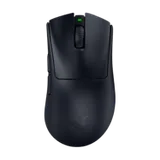
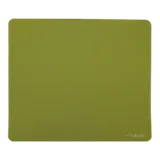
- Mousepad
- Artisan Type-99 Matcha
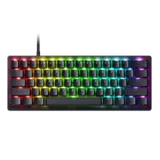
- Keyboard
- Razer Huntsman V3 Pro Mini
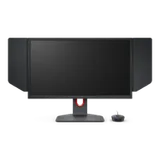
- Monitor
- ZOWIE XL2566K
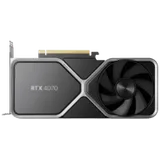
- Graphics card
- NVIDIA GeForce RTX 4070
2GAME ESPORTS teammates
Full roster, gear and settings on the 2GAME ESPORTS page.
More Valorant pro settings
 TenZT1
 aspasFUT Esports
 Demon1Team Envy
 ZekkenMIBR
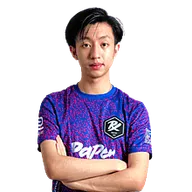 f0rsakeNPaper Rex
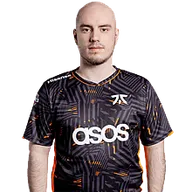 DerkeAurora
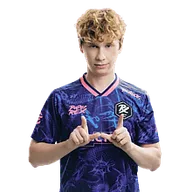 somethingPaper Rex
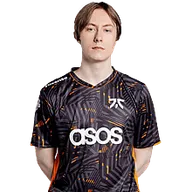 ChronicleTeam Vitality
Play CS2 too? Convert qck's sensitivity to CS2.
Use these settings in game
- Set your mouse to 1600 DPI in its software or on the mouse itself.
- In Valorant open Settings, then Mouse, and enter 0.05 as the sensitivity and 1 as the scoped multiplier.
- Open Settings, Crosshair, press the import button by the profile name and paste the code above.
- Play a few games before you judge it. If it feels off, change DPI and sens together to keep the eDPI.
qck settings FAQ
What sens does qck use?
0.05 at 1600 DPI, which is 80 eDPI and 163.3 cm per 360°.
What is qck's crosshair code?
A cyan, dot only crosshair. The full code is in the crosshair section above with a copy button; import it in Settings, Crosshair.
What resolution does qck play on?
1280x882, fill, fullscreen.
How current are these settings?
They were captured on 23 Nov 2026. Pros change settings often and sources do not always agree, so check qck's own stream or socials before copying them exactly.
Compare with every pro in the Valorant pro settings list or browse all pro crosshair codes.