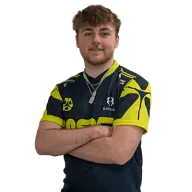
Lake CS2 settings, crosshair and config
Lake plays on 800 DPI with 1 sensitivity, an eDPI of 800. A full turn takes 52.0 cm of mouse movement, about the same as the typical pro (52.0 cm).
- 800 DPI
- 1 sens
- 800 eDPI
- 1 zoom
- 1280x960 stretched
Lake's crosshair code
CSHvNmKeiMRy8oJz4nvhSMkfvrXfmA5ZOevZqOQCw7nnTW- Team
 M80#25 in Valve's standings
- Role
- Rifler
- Country
- United States
- Name
- Mason Sanderson
- Age
- 22
Settings checked 16 November 2026.
How Lake compares
Against 628 CS2 pros. The dot is Lake, the line is the typical pro.
Slower turn than 44% of pros. Typical pro: 52.0 cm.
Lower than 44% of pros. Typical pro: 800.
Lower than 72% of pros. Typical pro: 1.4.
Lake crosshair
Crosshair code
CSHvNmKeiMRy8oJz4nvhSMkfvrXfmA5ZOevZqOQCw7nnTWIn CS2: Settings, Crosshair / Scopes, Share or import, then paste the code.
As it appears on a 1080p screen, enlarged three times. Pixel sizes are at the 960p height it was set for. Open it in the crosshair preview to read the console commands.
- Style
- Static Cross
- Colour
- #00FFEE
- Length
- 2 px
- Thickness
- 1 px
- Gap
- 3 px
- Dot
- No
- Outline
- Half
M80 matches
Reading the schedule…
Lake mouse settings
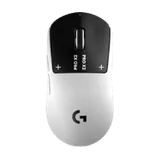
Mouse: Logitech G Pro X2 SUPERSTRIKE
- DPI
- 800
- Sensitivity
- 1
- eDPI
- 800
- Zoom sens
- 1
- Polling rate
- 1000 Hz
- Windows sens
- 6
- cm per 360°
- 52.0
- Inches per 360°
- 20.5
A full 360° turn takes 52.0 cm of mouse travel at 800 DPI and 1 sensitivity. The median of the 628 pros we list is 52.0 cm, and Lake plays a higher sensitivity than 38% of them. CS2 turns 0.022° per mouse count at sensitivity 1, so cm per 360° is our own sum from DPI and sensitivity.
Play Valorant too? Convert Lake's sensitivity to Valorant or compare your eDPI with the pros.
Lake video settings
Basic
- Resolution
- 1280x960
- Aspect ratio
- 4:3
- Scaling
- Stretched
- Refresh rate
- 240 Hz
- Display mode
- Fullscreen
- Brightness
- 93%
Lake viewmodel
- FOV
- 68
- Offset X
- 2.5
- Offset Y
- 0
- Offset Z
- -1.5
- Preset position
- 1
Lake launch options
We have no confirmed launch options for Lake.
Lake HUD and radar settings
HUD
- HUD scale
- 1
- HUD colour
- Team Color
Radar
- Centre the player
- Yes
- Rotating
- Yes
- Square with scoreboard
- Yes
- Radar HUD size
- 1
- Map zoom
- 0.7
Lake config
Paste into the console, or save as autoexec.cfg in your CS2 cfg folder. Only settings we hold for Lake are included; use the crosshair code above for the crosshair.
sensitivity "1"
zoom_sensitivity_ratio "1"
viewmodel_fov "68"
viewmodel_offset_x "2.5"
viewmodel_offset_y "0"
viewmodel_offset_z "-1.5"
viewmodel_presetpos "1"
cl_radar_always_centered "1"
cl_radar_rotate "1"
cl_radar_square_with_scoreboard "1"
cl_hud_radar_scale "1"
cl_radar_scale "0.7"
hud_scaling "1"
Lake gear
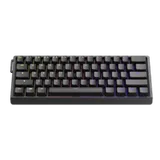
- Keyboard
- Wooting 60HE v2 Black
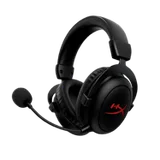
- Headset
- HyperX Cloud II Core
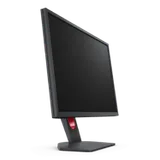
- Monitor
- ZOWIE XL2540K
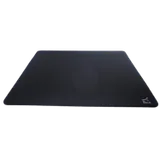
Lake skins
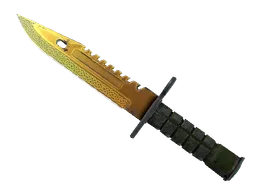
Knife
M9 Bayonet | Lore
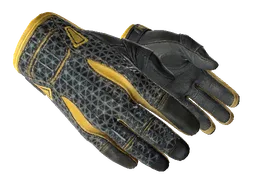
Gloves
Sport Gloves | Omega
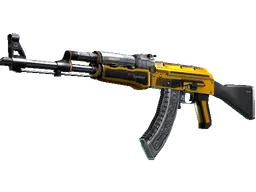
Rifle
AK-47 | Fuel Injector
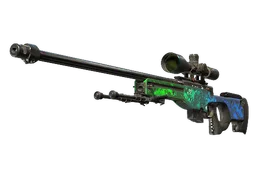
AWP
AWP | Ice Coaled
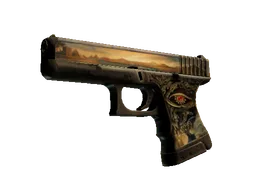
Pistol
Glock-18 | Ramese's Reach
Lake team history
- M80Jul 2024 to now
- Carpe DiemJan 2024 to Jul 2024
- Unjustified GamingAug 2023 to Jan 2024
- Looking for OrganizationMay 2023 to Aug 2023
- Snakes Den GamingJan 2023 to May 2023
M80 teammates
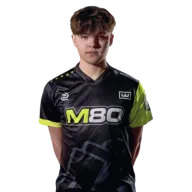
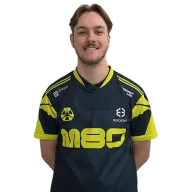
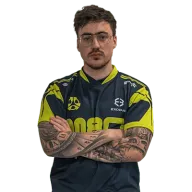
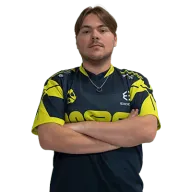
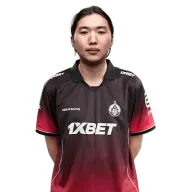
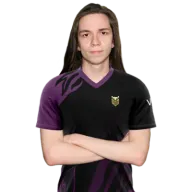
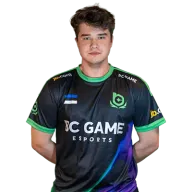
Pros with a similar eDPI
Lake settings FAQ
What sensitivity does Lake use?
Lake uses 1 in-game sensitivity at 800 DPI, an eDPI of 800.
What is Lake's crosshair code?
Lake's CS2 crosshair code is CSHvNmKeiMRy8oJz4nvhSMkfvrXfmA5ZOevZqOQCw7nnTW.
What resolution does Lake play on?
Lake plays on 1280x960 (4:3, stretched).
What mouse does Lake use?
Lake uses the Logitech G Pro X2 SUPERSTRIKE.
What is Lake's cm/360?
Lake's settings turn a full 360° in 52.0 cm of mouse travel (20.5 inches). That is our own sum from 800 DPI and 1 sensitivity; the median of the 628 pros we list is 52.0 cm.
Who is Lake?
Lake (Mason Sanderson) is a rifler for M80 and is from United States. Valve ranks M80 #25 in its standings of 2 November 2026.