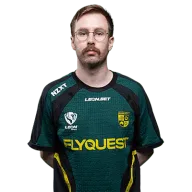
INS CS2 settings, crosshair and config
INS plays on 800 DPI with 1.2 sensitivity, an eDPI of 960. A full turn takes 43.3 cm of mouse movement, a little faster than the typical pro (52.0 cm).
- 800 DPI
- 1.2 sens
- 960 eDPI
- 1 zoom
- 1024x768 stretched
INS's crosshair code
CSD3ijEpdhrdaCiHqhJMPdQxfBr36FeReLtPRTb9XZxLRf- Team
 FlyQuest#48 in Valve's standings
- Role
- IGL
- Country
- Australia
- Name
- Joshua Potter
- Age
- 28
Settings checked 16 November 2026. Crosshair last seen in a match on 1 November 2026.
How INS compares
Against 628 CS2 pros. The dot is INS, the line is the typical pro.
Faster turn than 74% of pros. Typical pro: 52.0 cm.
Higher than 74% of pros. Typical pro: 800.
Lower than 60% of pros. Typical pro: 1.4.
INS crosshair
Crosshair code
CSD3ijEpdhrdaCiHqhJMPdQxfBr36FeReLtPRTb9XZxLRfIn CS2: Settings, Crosshair / Scopes, Share or import, then paste the code.
As it appears on a 1080p screen, enlarged three times. Pixel sizes are at the 960p height it was set for. Open it in the crosshair preview to read the console commands.
- Style
- Static Circle
- Colour
- #15F508
- Length
- 2 px
- Thickness
- 1 px
- Gap
- 0 px
- Dot
- No
- Outline
- No
FlyQuest matches
Reading the schedule…
INS mouse settings
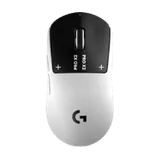
Mouse: Logitech G Pro X2 SUPERSTRIKE
- DPI
- 800
- Sensitivity
- 1.2
- eDPI
- 960
- Zoom sens
- 1
- Polling rate
- 1000 Hz
- Windows sens
- 6
- cm per 360°
- 43.3
- Inches per 360°
- 17.0
A full 360° turn takes 43.3 cm of mouse travel at 800 DPI and 1.2 sensitivity. The median of the 628 pros we list is 52.0 cm, and INS plays a higher sensitivity than 74% of them. CS2 turns 0.022° per mouse count at sensitivity 1, so cm per 360° is our own sum from DPI and sensitivity.
Play Valorant too? Convert INS's sensitivity to Valorant or compare your eDPI with the pros.
INS video settings
Basic
- Resolution
- 1024x768
- Aspect ratio
- 4:3
- Scaling
- Stretched
- Refresh rate
- 360 Hz
- Display mode
- Fullscreen
- Brightness
- 93%
Advanced
- Boost player contrast
- Enabled
- V-Sync
- Disabled
- NVIDIA Reflex
- Enabled
- NVIDIA G-Sync
- Disabled
- Max FPS
- 0
- Anti-aliasing
- 4x MSAA
- Shadow quality
- High
- Dynamic shadows
- All
- Model / texture detail
- Low
- Texture filtering
- Trilinear
- Shader detail
- Low
- Particle detail
- Low
- Ambient occlusion
- Medium
- HDR
- Quality
- FidelityFX Super Resolution
- Disabled (Highest Quality)
INS viewmodel
- FOV
- 68
- Offset X
- 2.5
- Offset Y
- 0
- Offset Z
- -1.5
- Preset position
- 2
INS launch options
Launch options
-useforcedmparms -freq 240 -noaafonts -high -console -nojoy +mat_vignette_enable 0 -untrusted -allow_third_party_softwareIn Steam: right-click CS2, Properties, General, Launch options.
INS HUD and radar settings
HUD
- HUD scale
- 0.85
- HUD colour
- Bright White
Radar
- Centre the player
- Yes
- Rotating
- Yes
- Square with scoreboard
- Yes
- Radar HUD size
- 1.3
- Map zoom
- 0.4
INS config
Paste into the console, or save as autoexec.cfg in your CS2 cfg folder. Only settings we hold for INS are included; use the crosshair code above for the crosshair.
sensitivity "1.2"
zoom_sensitivity_ratio "1"
viewmodel_fov "68"
viewmodel_offset_x "2.5"
viewmodel_offset_y "0"
viewmodel_offset_z "-1.5"
viewmodel_presetpos "2"
cl_radar_always_centered "1"
cl_radar_rotate "1"
cl_radar_square_with_scoreboard "1"
cl_hud_radar_scale "1.3"
cl_radar_scale "0.4"
hud_scaling "0.85"
INS gear
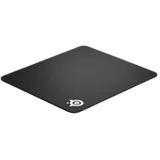
- Mousepad
- SteelSeries QcK Heavy
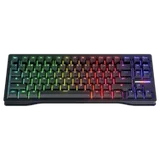
- Keyboard
- Wooting 80HE Black
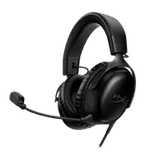
- Headset
- HyperX Cloud III Black
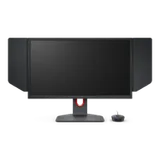
- Monitor
- ZOWIE XL2566K
- Graphics card
- RTX 4070 Ti Super
INS skins
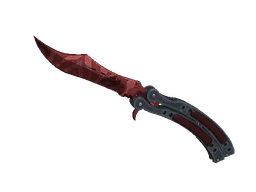
Knife
Butterfly Knife | Slaughter
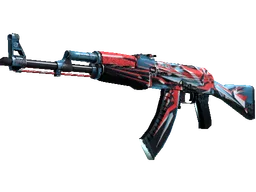
Rifle
AK-47 | Point Disarray
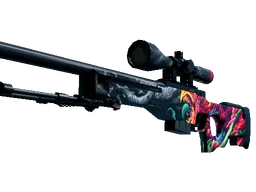
AWP
AWP | Hyper Beast
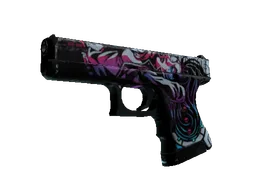
Pistol
Glock-18 | Neo-Noir
INS team history
- FlyQuestMar 2024 to now
- JeevesMar 2024 to Mar 2024
- Grayhound GamingSept 2022 to Mar 2024
- ORDERJun 2022 to Sept 2022
- RenegadesDec 2019 to Jun 2022
- Grayhound GamingSept 2019 to Dec 2019
- ORDERSept 2018 to Aug 2019
- Tainted MindsDec 2017 to Sept 2018
- Chiefs Esports ClubAug 2016 to Dec 2017
- Team ASDFJul 2016 to Aug 2016
- CorvidaeJan 2016 to May 2016
- Team STORMJul 2015 to Dec 2015
- Sudden FearJan 2015 to Jul 2015
- Team STORMMay 2014 to Jan 2015
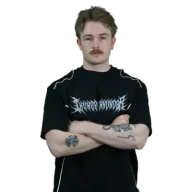
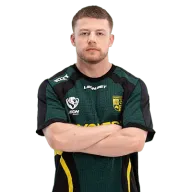
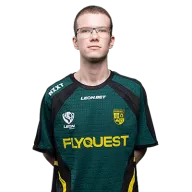
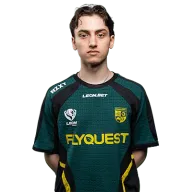
FlyQuest teammates
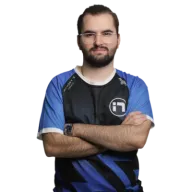
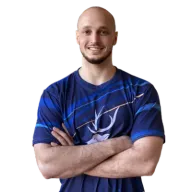
Pros with a similar eDPI
INS settings FAQ
What sensitivity does INS use?
INS uses 1.2 in-game sensitivity at 800 DPI, an eDPI of 960.
What is INS's crosshair code?
INS's CS2 crosshair code is CSD3ijEpdhrdaCiHqhJMPdQxfBr36FeReLtPRTb9XZxLRf.
What resolution does INS play on?
INS plays on 1024x768 (4:3, stretched).
What mouse does INS use?
INS uses the Logitech G Pro X2 SUPERSTRIKE.
What is INS's cm/360?
INS's settings turn a full 360° in 43.3 cm of mouse travel (17.0 inches). That is our own sum from 800 DPI and 1.2 sensitivity; the median of the 628 pros we list is 52.0 cm.
Who is INS?
INS (Joshua Potter) is an IGL for FlyQuest and is from Australia. Valve ranks FlyQuest #48 in its standings of 2 November 2026.